


Irancell eSIM
The Future of Connection in Mobile Phones
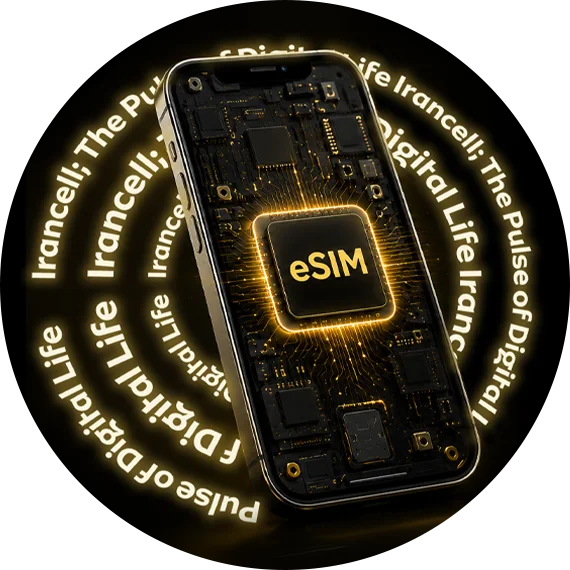
eSIM is a new technology that stores SIM card information on a chip in the phone, replacing physical SIM card.
Converting Irancell physical SIM to eSIM and activating it is done in a few minutes without the need for a face-to-face visit for eligible subscribers. In case, you have not pre-ordered for eSIM, visit the section below to submit your request

Why Irancell eSIM?

 1
1
No Physical SIM Cards Needed
2
Fast, Online Activation with a Few Clicks
3
High Security and no Concerns for Loss or Damage
4
Compatible with Cutting-Edge Mobile Devices
Guide to Device Support for eSIM
There are different ways to check if a phone or device supports eSIM, depending on the operating system:
iOS
● Settings > Cellular > Add Cellular Plan
● If there is an option to Add Cellular Plan or Add eSIM, the device supports eSIM.
Android
● Settings > Connections/Network & Internet > SIM cards > Add Mobile Plan
● If there is an option to Add eSIM / Add Mobile Plan, the device is eSIM-capable
To check, dial *#06#; if your device has an EID, it supports eSIM.
Important Notes
- Always check the exact device model on the manufacturer’s official website.
- In some cases, a phone software update is required to enable the eSIM option
FAQs
Currently users who have been identified as eligible by Irancell and have received a message.
To activate eSIM, your device must support this technology and be connected to the Internet. Also, the device must not be locked by the operator (Carrier Lock).
Many new phones support eSIM. To check, you can look in your device’s settings for options like Add eSIM or Add Cellular Plan. You can also check if your device displays an EID by dialing *#06#. The EID usually indicates that your device supports eSIM.
After receiving the QR code, connect your phone to the Internet, preferably Wi-Fi, and scan the QR code through your device settings:
On iPhones:
Settings → Cellular → Add eSIM → Use QR Code
On Android phones:
Settings → Connections / Network → SIM Manager → Add eSIM → Scan QR Code
After scanning the QR code, follow the steps displayed on the screen to complete the line activation.
A link to receive the QR code will be texted to you after completing the initial steps and successful authentication.
No. Each QR code can only be used for one activation and once activated, the same code cannot be used again.
First, check if your phone is connected to a stable internet connection, the device supports eSIM, your device operating system is up to date, and the device is not locked to a specific operator. Also, make sure the QR code image is clear.
Note that once this code has been activated, it cannot be reactivated. If possible, you can also enter the eSIM information manually. If the problem persists, contact support.
Please check the following:
Mobile phone registry in Hamta platform, eSIM activation in the settings and being selected as the active line, automatic operator selection (in the network settings, set the operator selection mode to Automatic), restarting the phone (turn the phone off and on or put it in flight mode). If the problem persists, contact support.
To activate your eSIM on the new device, a new QR code must be obtained, as the previous QR code is disposable and cannot be reused on another device.
No. Each eSIM can only be activated on one device at a time, and it is not possible to use the same line on two phones at the same time.
If you remove eSIM from your device, you can reinstall it on the same device if you have access to the previous QR code; otherwise, you should receive a new QR code.
Depending on the phone model, your eSIM profile may also be deleted when the phone is factory reset. Some devices offer the option to keep the eSIM. If you remove your eSIM from your device, you can reinstall it on the same device if you have access to the previous QR code; otherwise, you should receive a new QR code.
No. Losing or breaking your phone does not result in losing your number or ownership of the line. However, you will need to go through the process of getting a new QR code to activate the line on a new device.
Yes, there is a fee to reissue a QR code.
Yes, all packages, credit balance, and active services will be transferred to an eSIM without any disruption.
Yes, if your phone supports Dual SIM, you can have a physical SIM card and an eSIM active on your device at the same time. How you manage lines and choose the default line for calls, text messages, or internet depends on your phone model and operating system.
The number of eSIMs that can be saved and the number of lines that can be active simultaneously depends on the model and capabilities of the device. For exact information, check the technical specifications of your phone.
An eSIM is no different from a physical SIM card in terms of line validity and can be used as long as the line is active according to the operator’s terms. Prolonged inactivity of the line can lead to its termination according to the rules regarding the maintenance and activation of the SIM card.
Converting an eSIM to a physical SIM card is possible for the same number and is subject to the same process and terms and conditions as for SIM card replacement.
It is currently not possible to port eSIM to other carriers.
Yes. Transferring ownership of an eSIM is done in accordance with the rules and processes related to transfer of ownership, just like a physical SIM card.
The EID is a unique identifier for the device’s eSIM chip, usually displayed as a 32-digit number.
This identifier can be viewed on iPhones from the following path:
Settings → General → About → EID
On Android phones, the path to display the EID varies depending on the phone model and is usually visible from the SIM card information or device information section:
Settings → About Phone → SIM Status / Status Information → EID
You can also view information such as EID on many phones by dialing *#06#.
If the problem persists you may not be able to get your eSIM activated online.